Whether you've overbought the wrong products or have merchandise on hand with little shelf-life left in it, “stale inventory” is a common (and everyday) challenge for online merchants. But no matter what you sell or where you sell it, holding on to stale inventory is a costly business practice.
The Stale Inventory Report shows you at a glance what you have in stock and how long it will take to sell out at the current pace. You can search within the report, sort using columns such as Months to Sellout, or use the Column Visibility tab to control which fields you view on the page. You have the option to export the data to CSV or PDF.
View & Export the Stale Inventory Report
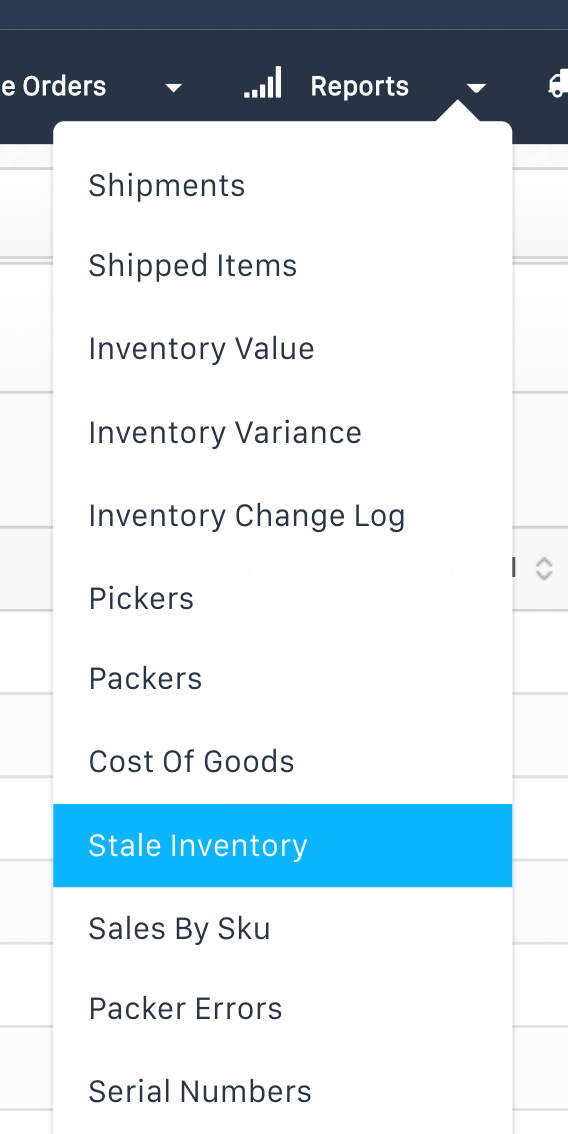
- Access the Stale Inventory Report by logging into app.shiphero.com and going to Reports > Stale Inventory on the Dashboard.
- You can select which columns you want to display using the Column Visibility button.
- To export the report, click the Export All Rows button.
Additional Details
- The One Year and One Year Value columns represent the quantity of the product left to sell in one year's time and the value of the total quantity left to sell in one year's time.
- Months to Sellout calculates how long it will take to sell out of each product based on the current pace of sales.